Mysql과 Jsp를 연결할 수 있는 드라이버 설치
1. google에 mysql jdbc driver 검색
https://downloads.mysql.com/archives/c-j/
MySQL :: Download MySQL Connector/J (Archived Versions)
Please note that these are old versions. New releases will have recent bug fixes and features! To download the latest release of MySQL Connector/J, please visit MySQL Downloads. MySQL open source software is provided under the GPL License.
downloads.mysql.com
2. Archiver 클릭(버전선택)

3. 버전 선택 후 다운로드 (아래 압축파일 zip)
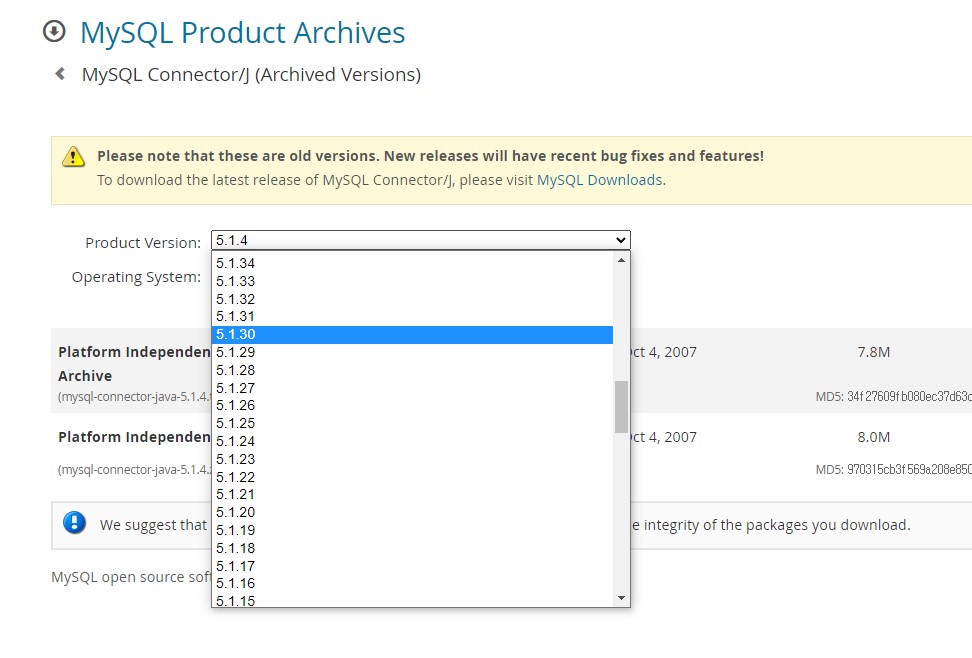
4. 작업 폴더 안에(나의 경우는 Jsp) 압출 풀기
5. 'mysql-connector-java-5.1.45-bin.jar' (연결해주는 파일)파일 복사해서
프로젝트 폴더 - webcontent - WEB-INF - lib 폴더 안에 파일 붙여넣기

6. 프로젝트 폴더 우클릭 - Properties 클릭
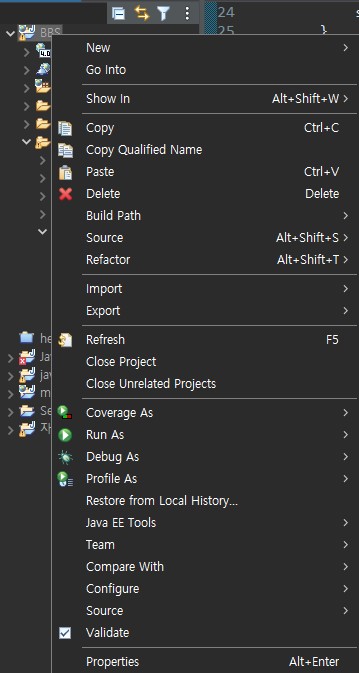
7. Java Build Path - Libraries

8. 본문 아무 파일이나 클릭하면 Add JARs 버튼 활성화됨
Add JARs 클릭 후 아까 넣어준 'mysql-connector-java-5.1.45-bin.jar' 파일 찾아 선택
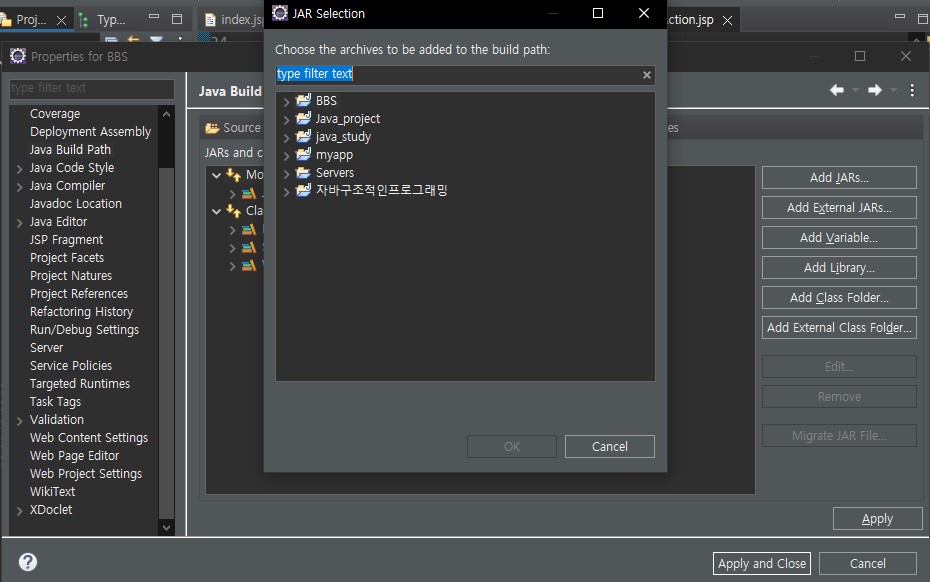
9. 파일 선택 후 OK - Apply and Close

'Backend > Jsp' 카테고리의 다른 글
| Jsp 게시판 만들기 - 8. 회원가입 화면 구현(join.jsp) (0) | 2023.03.29 |
|---|---|
| Jsp 게시판 만들기 - 데이터베이스 오류 (0) | 2023.03.29 |
| Jsp 게시판 만들기 - 5. javabeans (0) | 2023.03.29 |
| Jsp 게시판 만들기 - 4. Mysql 설치 후 회원데이터 구축 (0) | 2023.03.29 |
| Jsp 게시판 만들기 - 2. Project 생성 (0) | 2023.03.28 |